Connection Type Tabs
LOCALNET:
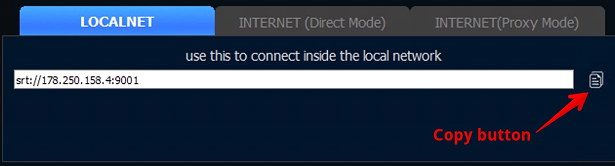
Use this tab to connect inside your local network (if the encoder(e.g, TV Guest, Steam2Studio etc.) is in the same local network as the server with no internet connection)
Buttons:Copy — – allows to copy the IP address from the line to buffer
INTERNET (Direct Mode):
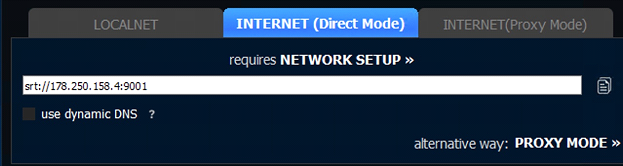
Use this tab to connect directly from the Internet (E.g, from stadium or other country). In order to get the instructions how to establish this connection please click “NETWORK SETUP»” button or navigate here
Buttons:Copy — – allows to copy the IP address from the line to buffer
Use dynamic DNS — – this button allows to link your public IP address to ‘human’ name like “demo123.srtminiserver.com”. This name will be always same.
INTERNET(Proxy Mode):
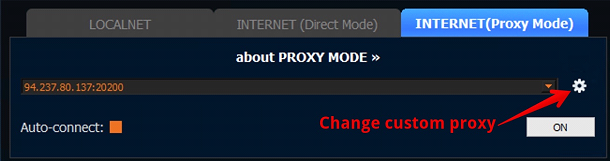
Use this tab If you have not public IP or have not ability for port-forwarding. In order to get the instructions how to use Proxy Mode please click “about PROXY MODE»” button or navigate to the link
Buttons:Change custom proxy — – use this button to add/change custom proxy server. More details find here: https://srtminiserver.com/custom-proxy/index.html
Auto-connect — – use this button to automatically enable the selected proxy server after starting SRTMiniServer.
ON — – use this button to TURN ON/OFF the connection with the selected/added proxy server