Remote Control
SRTMiniServer supports remote control by browser. Also it supports Web API for access by scripts.
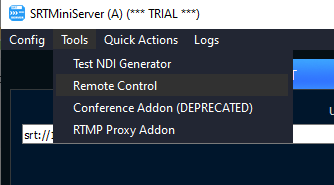
For activate remote control web-server please go to Top menu –> Tools –> Remote Control
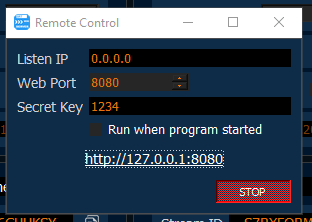
Listen IP: by default web-server use all interfaces. You can type 127.0.0.1 for local-host only usage for example.
Web Port: TCP port
Secret Key: used for access control. Optional.
Run when program started: used for auto-start web-server.
You can see info in browser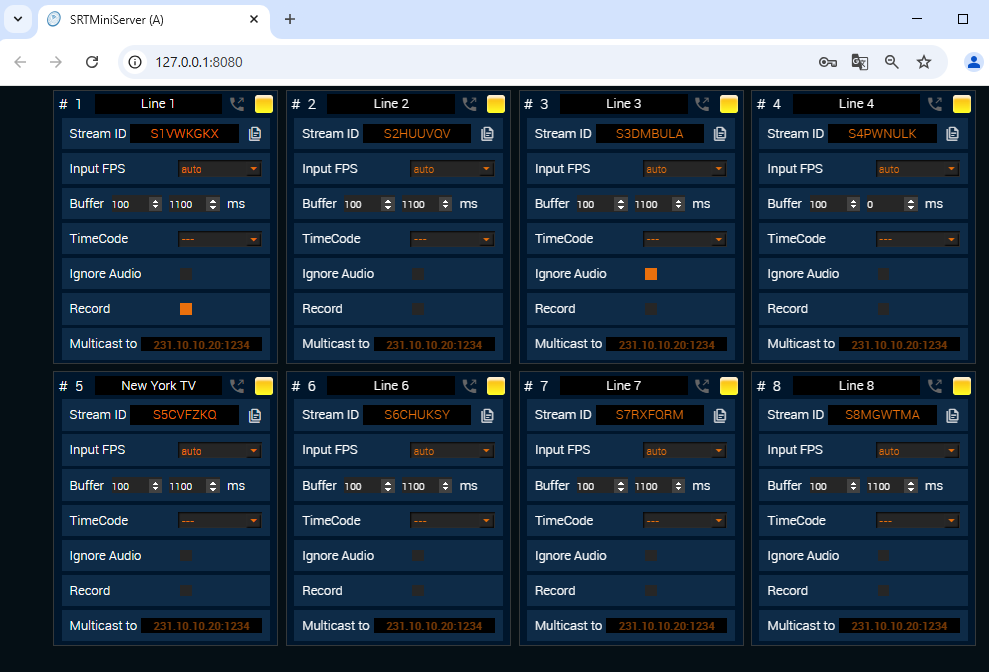 Web API
You can use HTTP requests to read and update SRTMiniServer.
You can see example of the api inside code.js file.
Notes:
LINE_NUM: line number (1,2, etc)
If you use “Secret Key” then you need additional params (see section below)
METHODS:
GET /api/v1/read — returns info about all lines
POST /api/v1/line/LINE_NUM/disconnect — for disconnect line
POST /api/v1/line/LINE_NUM/resetbuffer — for resetbuffer
GET /api/v1/line/LINE_NUM/streamid — for read current streamid for line
POST /api/v1/line/LINE_NUM/streamid - need parameter: ** streamid** (string)
for setup streamid for line
Access Control for Web API
You can use empty “Secret Key” and ignore this section.
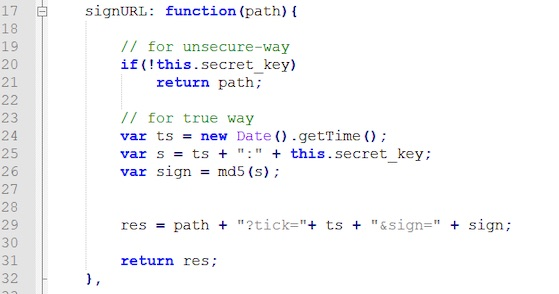
If you use non-empty “Secret Key” then any request should includes query params “tick” and “sign”.
tick: integer value. SHOULD BE GROWTH: next request value greater previous value. You can use timestamp for this.
sign: md5 hash from string “tick:secret_key“
Example for javascript: