OBS Setup
It’s simple guide for two tasks:
How to stream from OBS to SRTMiniServer
How to play stream from SRTMiniServer by OBS
Start SRTMiniServer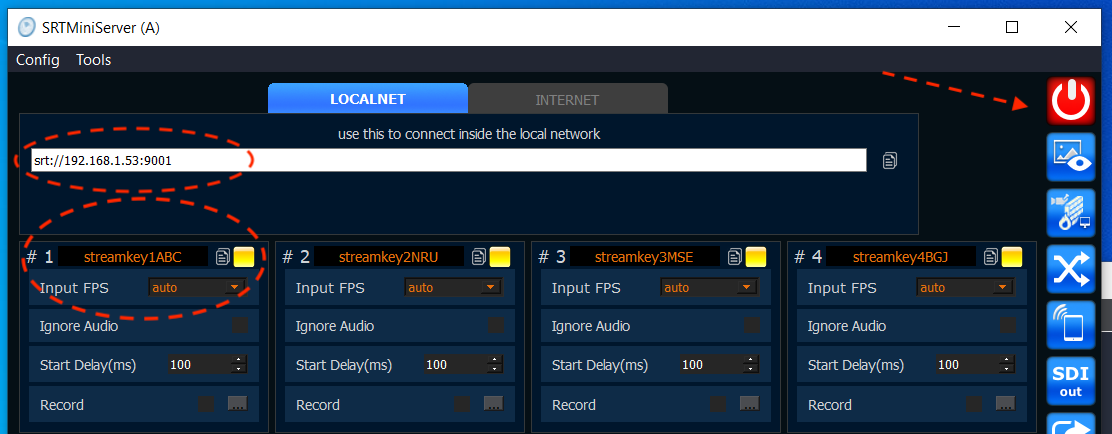 Streaming from OBS
for OBS you need move to Settings –>Stream and type field Server as on image:
Setup SRT
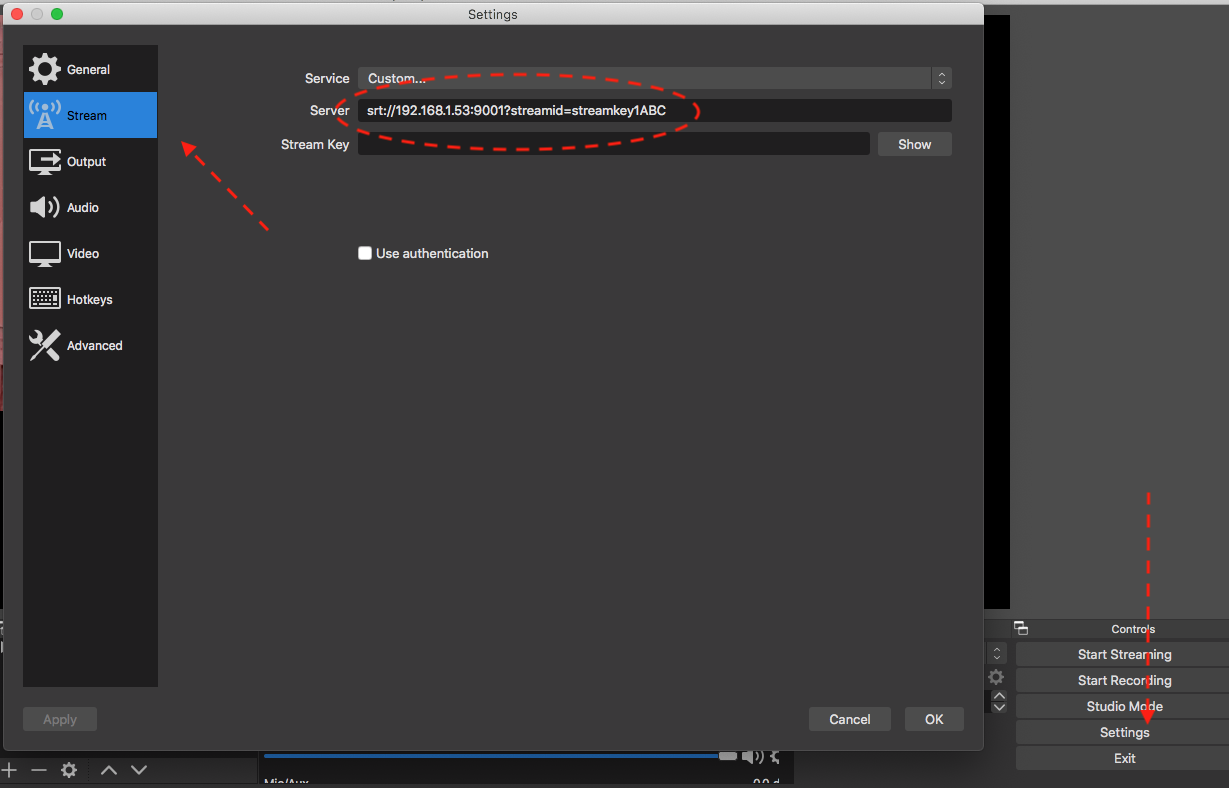
We typed streamid field inside URL srt://192.168.1.53:9001?streamid=streamkey1ABC
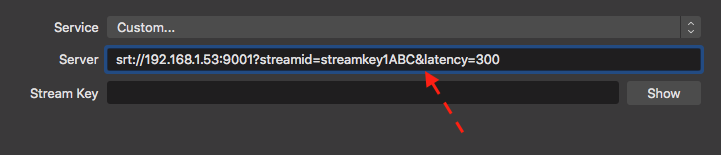
Also you can add other SRT-params to URL by ‘&’, for example latency (ms)
srt://192.168.1.53:9001?streamid=streamkey1ABC&latency=300
Setup SRT with few parameters
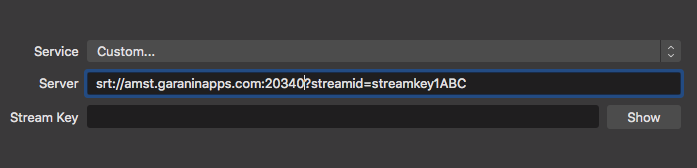
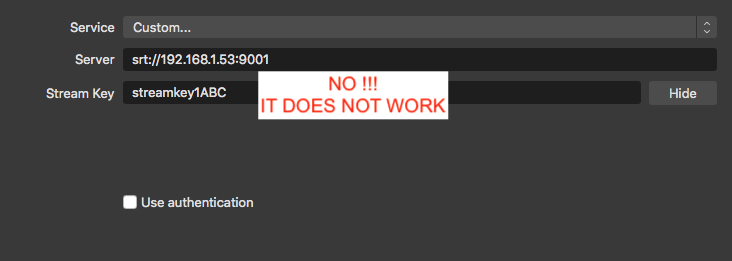
Please be aware wrong setup:
WRONG setup
(Optional) Link Generator: You can use LinkGenerator for quick generate SRT URL for OBS:
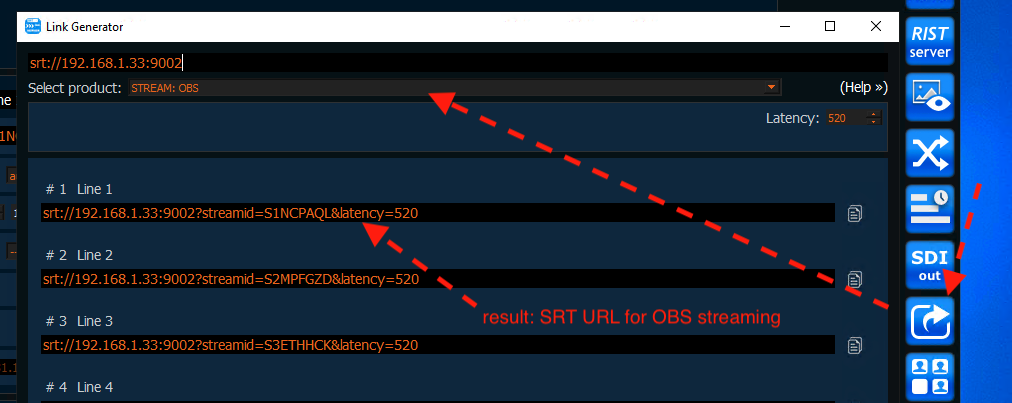
Result:
press Start Streaming in OBS.
SRTMiniServer will accepts connection and you can see Preview.
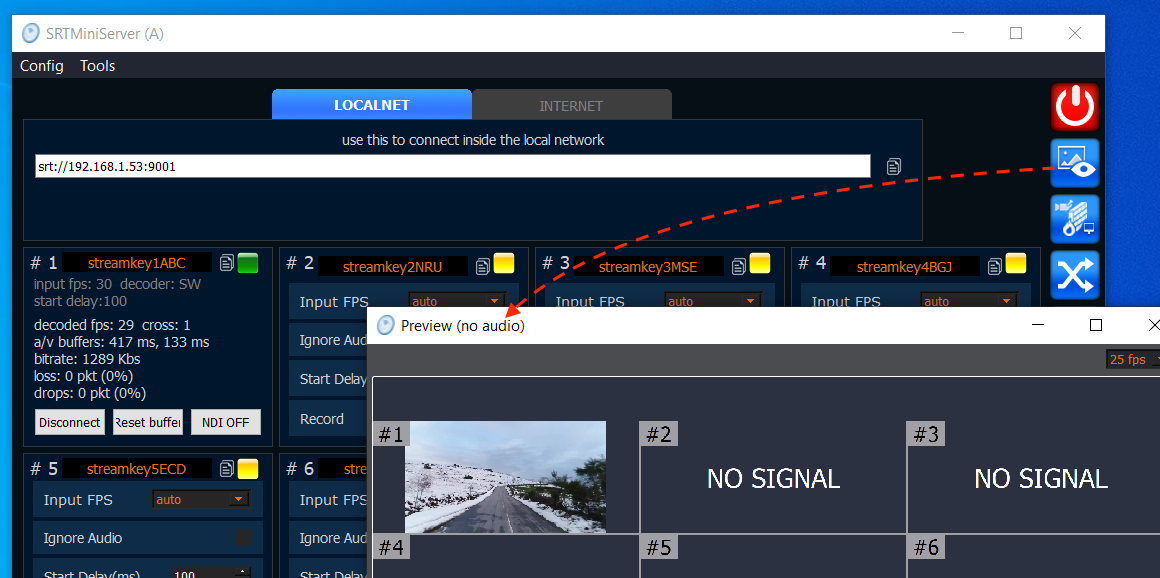
What’s next? Please open your mixer software and use NDI from SRTMiniServer for next production stages.
Setup OBS for play SRT from SRTMiniServer
It’s easy: you need add “Media Source” and do setup:
Configuration for play SRT
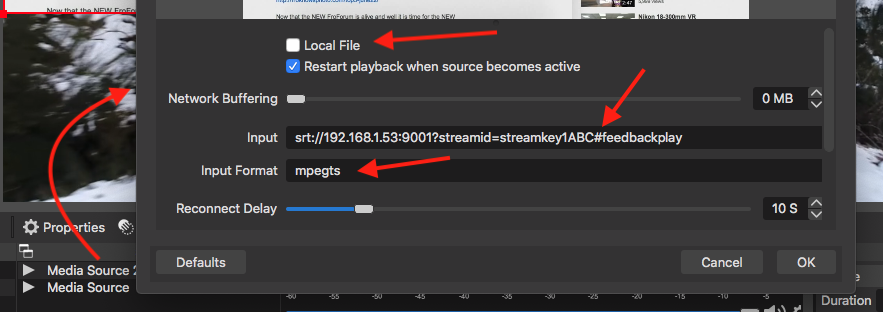
Please note: we added special #feedbackplay suffix to stream id
BTW: you can use #talkback suffix as well as #feedbackplay
Connection through Internet
In this post we described connection inside local network. Connection through Internet very similar but you need additional setup on SRTMiniServer side:
If you have dedicated IP then you can use direct-connection
If you have not dedicated IP then just use ProxyAddon
for OBS setup still same.For example if you use ProxyAddon: