Scheduled recording
(since version 2.5)
SRTMiniServer provides external methods to enable/disable line recording.
These are web-based methods that can be called from any application. For convenience, we provide two cmd-scripts (“scripts” subfolder) that can be used in the standard TaskScheduler.
Step 1: turn on Remote Control
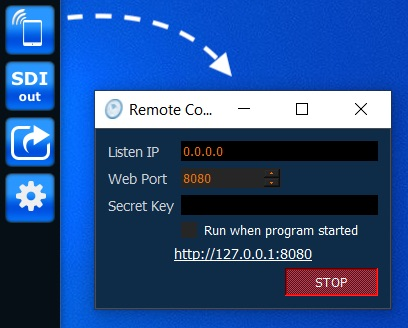
Step 2: setup TaskScheduler
TaskScheduler has a wide range of possibilities to create flexible schedules. Here is an example of how to enable recording on line 3 at a certain time.
Pay attention to pic 4: it is necessary to select the script and specify the line number.
By analogy, you can set the recording stop by specifying the script stop_rec.cmd and the line number.
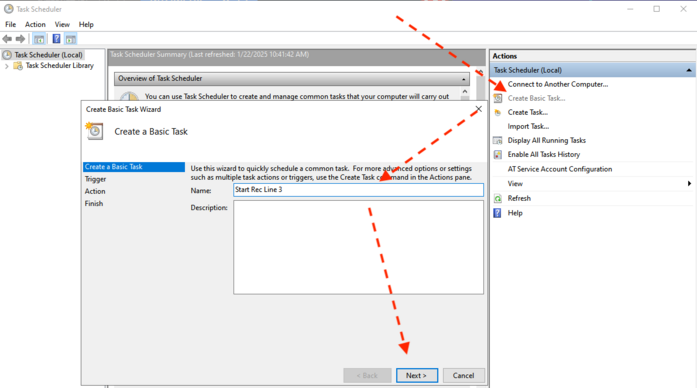
pic 1
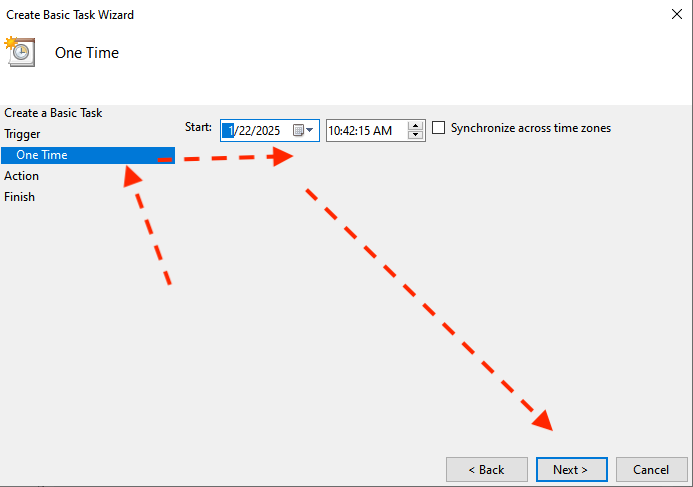
pic 2
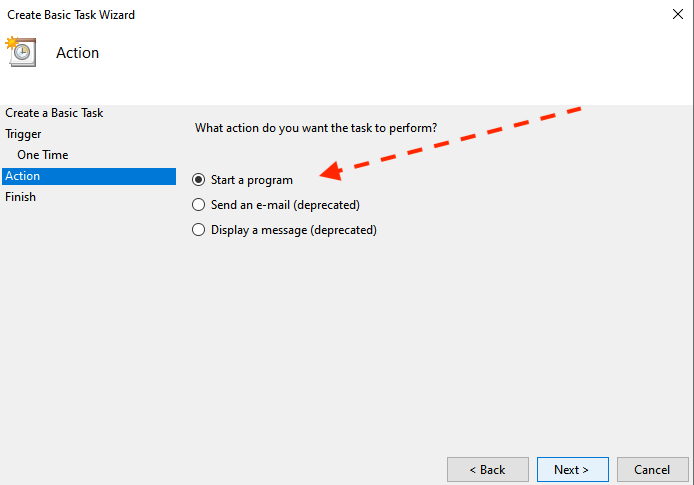
pic 3
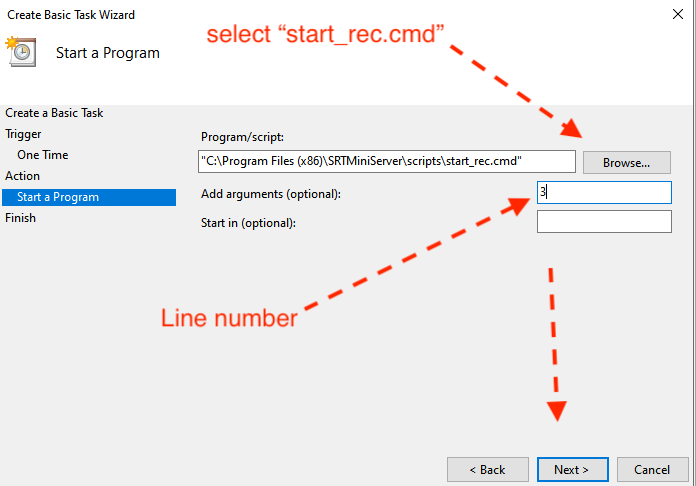
pic 4
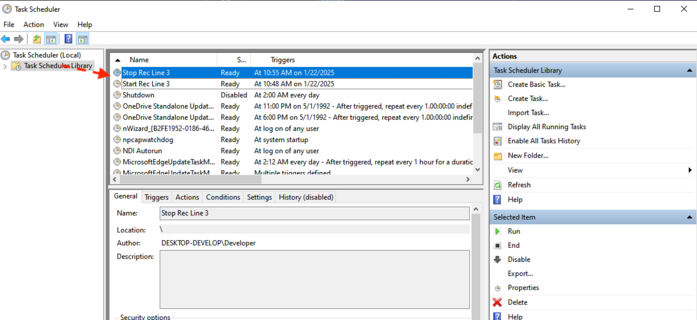
pic 5