SRT to RIST (New Bonding Agent)
A tool for converting SRT streams to RIST streams
Key Features
Seamless Conversion – Transforms SRT-based streams into RIST-compatible transport.
Built-in Bonding – The RIST protocol natively supports bonding by design, leveraging RTP and SMPTE-standards for efficient packet handling.
Bonding Capabilities
RIST’s bonding functionality is protocol-level, ensuring:
✔ Aggregated Bonding – Combines multiple links for higher bandwidth.
✔ Redundant Bonding – Maintains stream stability via failover paths.
Based on standards, RIST ensures low-latency, ** error-resilient** transport — ideal for professional broadcast and IP media workflows.
While RIST is a promising protocol, its adoption is still limited due to its recent introduction.
SRT, on the other hand, is nearly ubiquitous in modern encoders and streaming devices. But SRT does not provide aggregated bonding.
To leverage the best of both worlds, we created SRT2RIST — a seamless converter that unites SRT’s compatibility with RIST’s advanced bonding capabilities.
Quick Start
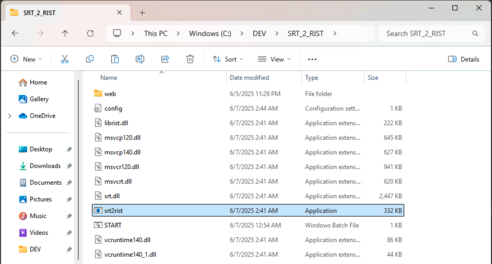
Step 1: Download the zip-file and unzip it.
Step 2: Run “srt2rist.exe”. It opens console. NOTES: also you can use “START” file for Step 2 & 3 in one click.
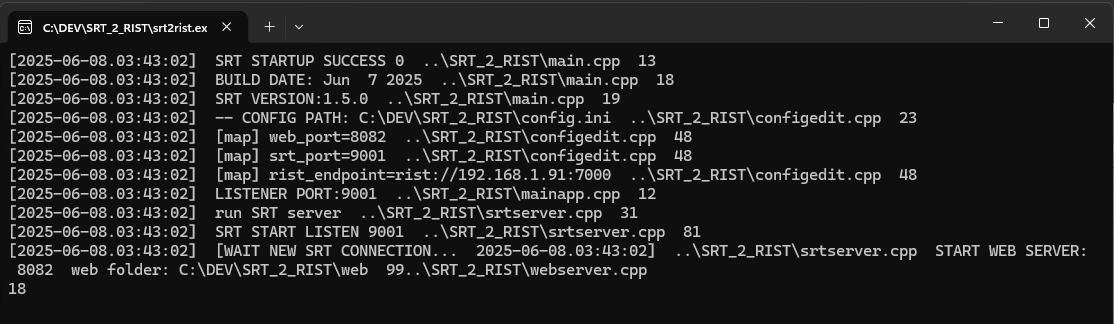
NOTES: by default srt2rist uses ports ** 8084**(TCP) and ** 29001**(UDP) for Web UI and SRT. You can change it in “config.ini”
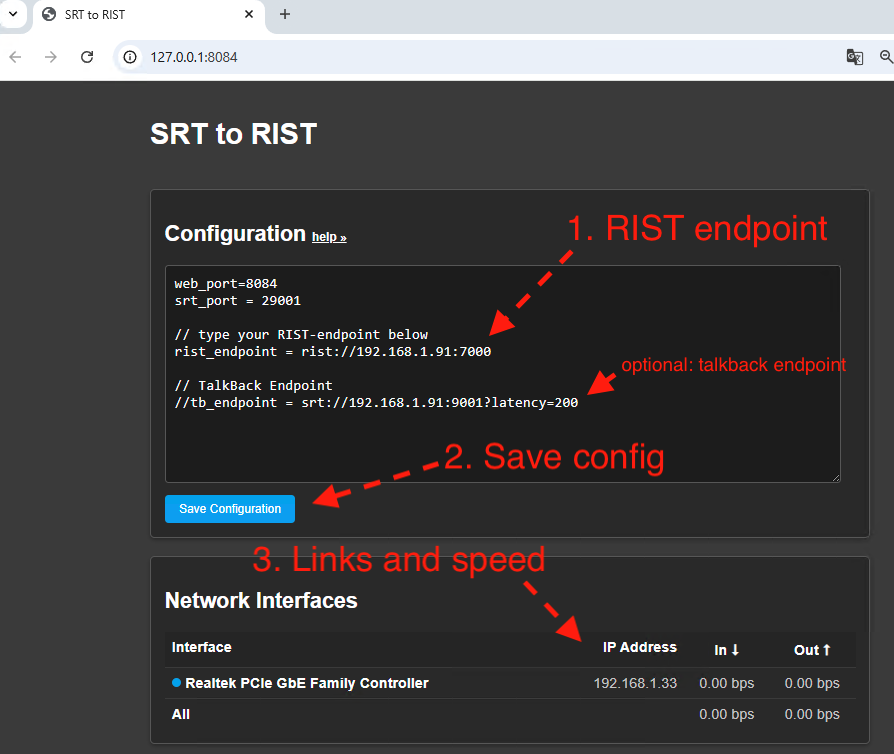
Step 3: go to browser http://127.0.0.1:8084
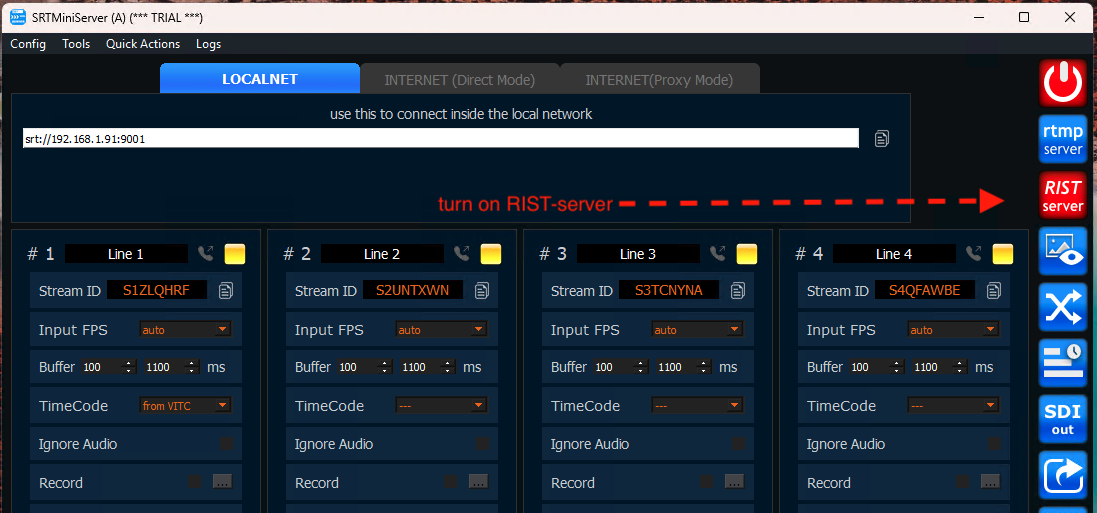
Please change rist_endpoint to your value and save it. You can use any RIST-server (more detailed see here ) but we tested the app with SRTMiniServer.
Step 4: start SRT-stream. Just open your encoder HW or OBS or vMix and send SRT stream to this host.
NOTES: you can use SRT “stream id” or not. If you use SRTMiniServer as RIST-endpoint then we recommend use “stream id” (it will transfer also).
Configuration
Please note: after saving the config, it will only be applied to new sessions.
web_port = 8084
TCP-port for web-server (used for Web UI). Need re-start the app.
srt_port = 29001
UDP-port for SRT-server (used to receive incoming SRT-streams). Need re-start the app.
rist_endpoint = rist://ip:port
RIST-endpoint(s).
NOTES: at the moment specifying DNS-names does not work. Please use the IP address of the endpoint.
ignore = ip1,ip2,ip3
This optional parameter allows you to exclude the specified IP addresses from use. That is, outgoing traffic will not go through them.
tb_endpoint = srt://192.168.1.91:9001?latency=200
This optional parameter allows you to specified SRT-endpoint for return feed from Studio. You can also add passphrase & pbkeylen to SRT URL.
How it works: if you connect Player (StreamToStudio, SRTStreamerLITE, VLC etc) to srt2rist and stream id includes “*talkback” then the srt2rist understands that this connection is for feedback.
So srt2rist makes a connection to the specified tb-endpoint (while preserving the streamid) and sends the traffic received from tb-endpoint to the Player.
About endpoints
You can use any RIST-server that supports Main RIST-profile.
For example you can use SRTMiniServer as a RIST server. Just click the “RIST server” button.
More details about the RIST server can be found here .