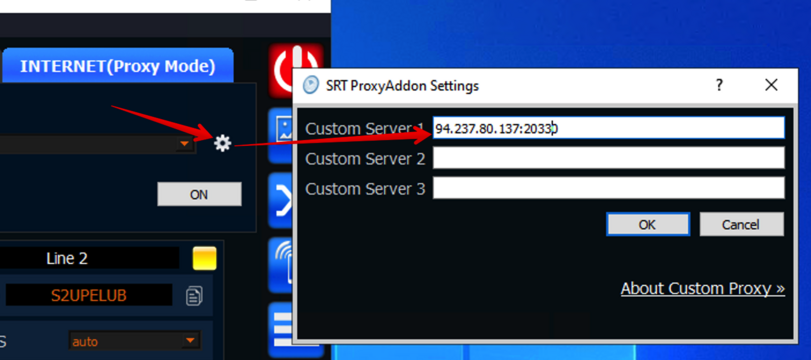
Custom proxy server
You can deploy SRT-proxy server on your host. For this we provide special Docker-image.
We recommended use this because our servers is public and may be under hight load.
Step 1: rent Linux server
You can use VPS or Dedicated. Power does not make sence, because proxy works like router and only bandwidth and location make sense.
About OS: we recommended use Ubuntu or Centos.
For example: we use VPS with 2 core ($15) for our proxy servers.
If you need proxy for event only then we recommed use Amazon EC2-instance (t3.small for example). After use, you can freeze it for the next event.
Step 2: install Docker
for Ubuntu it’s easy, just run this commands:
sudo apt-get update
sudo apt-get install docker.io
sudo systemctl enable docker.service
sudo systemctl enable containerd.service
NOTE: we recommended use actual Docker-installation guide for your system from Docker site
Step 3: run SRT-Proxy
just use this command
sudo docker run -p=8088:8088 -p=20000-20400:20000-20400/udp --env ALLOW_PORT_STICKY=ON --restart=always -d garaninapps/srt_proxy_pro
Notes:
At first time the command takes more time because it will download srt-proxy image
This command use pool of 20000 – 20400 ports(UDP) and allow “sticked” port (see below)
We recommended use your owned proxy servers because our servers is public and may be under hight load.
Many hosting platforms allow pay on hour of usage, so you can hibernate your server and use only for events.
Step 4: check firewall
Some cloud providers block non-standard ports by default.If you can’t connect to your server then please check section usually called like “Firewall rules” or “Network security”
This ports should be opened on your server for inbound connections:
TCP: 8088
UDP: 20000-20400
Sticked port
By default Proxy Server assing random port (between 20000-20400) for SRTMiniServer every time when proxy-mode activate.
But you can fix this port (“sticked port”): just select any EVEN port between 20004-20390.
For example you can use 20330 always. Just type your custom server as IP:20330