Link Generator
Link generator is a tool for generating links, acces numbers, QR codes for connecting to the SRTMiniServer from different encoders.

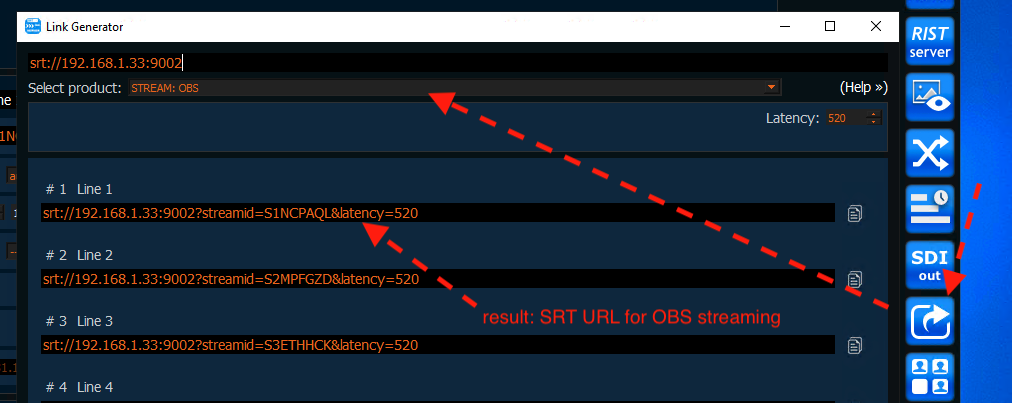
example: generate link for OBS streaming
Also it allows quick generate links for read/play SRT from server (VLC, OBS etc) (for play please don’t forget about setup CrossLine )
For using the Link generator set a connection with server using one of the connection types(Local, Internet(Direct Mode), Internet(Proxy Mode)). More detail about selecting connection types you can find here To open Link generator click on the icon in the main menu:
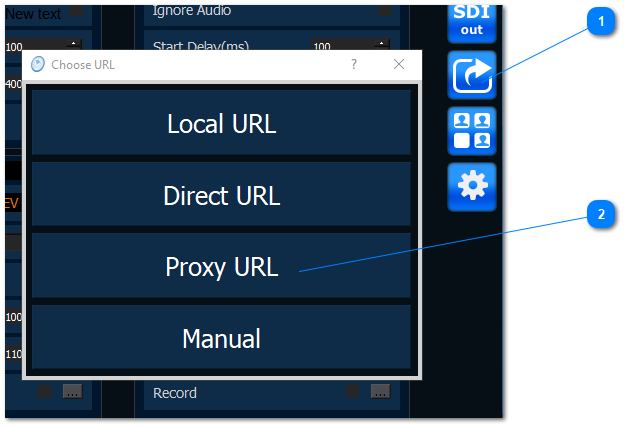
‘Choose URL’ window with the list of URL types is opened. The following URLs are available for selection:
- Local URL - use this URL when connecting with ‘Local’ connection type
- Direct UR - use this URL when connecting with ‘Internet(Direct Mode)’ connection type
- Proxy URL - use this URL when connecting with ‘Internet(Proxy Mode)’ connection type
- Manual - use this for type server address manually
After selecting the URL the main Link generator screen is opened:
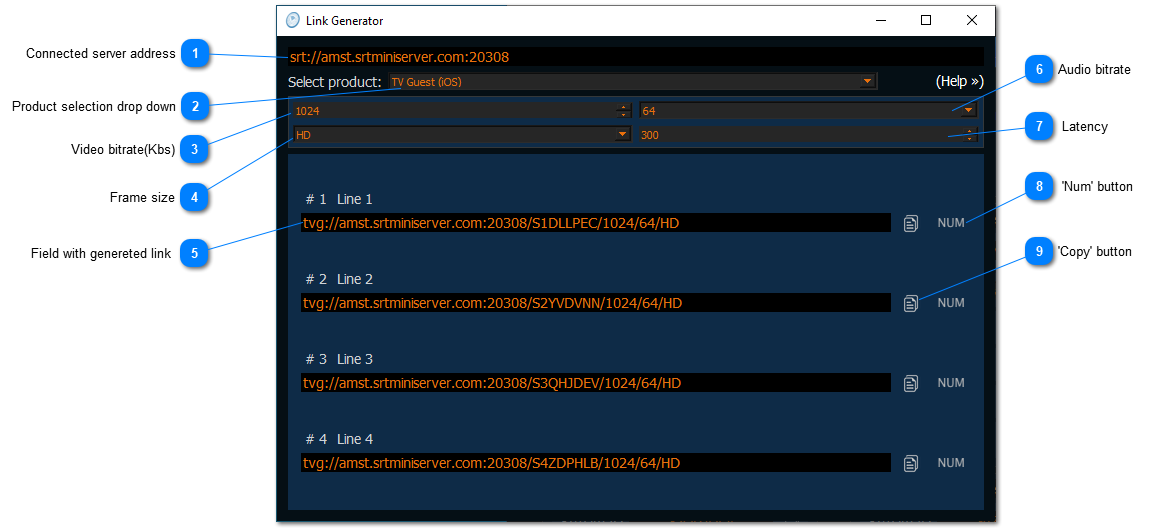
Connected server address
Shows to which server and port you are currently connected
Product selection drop down
Allows to select the encoder or player for which you are going to generate a link, access number, QR code for connecting to SRTMiniServer
Video bitrate(Kbs)
Input field that allows to set video bitrate for video broadcast.
Frame size
Dropdown that allows to select a frame size for video broadcast. The following sizes are available for selection:
SD
HD
FullHD
4K
Field with genereted link
Input field with automatically generated connection link. The field is editable and allows to change some parameters in the connection link(For instance, Video/audio bitrate, frame size)
Audio bitrate
Dropdown that allows to select audio bitrate (Kbs) for video broadcast. The following values are available for selection:
64 Kbs
96 Kbs
128 Kbs
256 Kbs
Latency
Input field that allows to set latency for video broadcast.
‘Num’ button
Clicking on ‘NUM’ button the acces number is generated. You can click (Copy) button to copy the number to the clipboard for further sending:

NOTE: Some encoders (SyncBroadcaster, LarixBroadcaster, SyncBroadcaster) use QR codes instead of access numbers.
If you select one of these encoders in the list of products, then instead of the ‘NUM’ button you will see the ‘QR’ button

, which will allow you to generate QR code and then read it with your device camera.
‘Copy’ button
Allows to copy the generated connection link to the clipboard for the furter sending to the person who will connect to SRTMiniServer by clicking on this link.