Caller-configuration
Initially the Line operates in Listener mode: it waits for connection from outside.
But also you can initialize the connection to the SRT-source yourself in Caller mode.
NOTES: all params from
will be applied to such Line also.
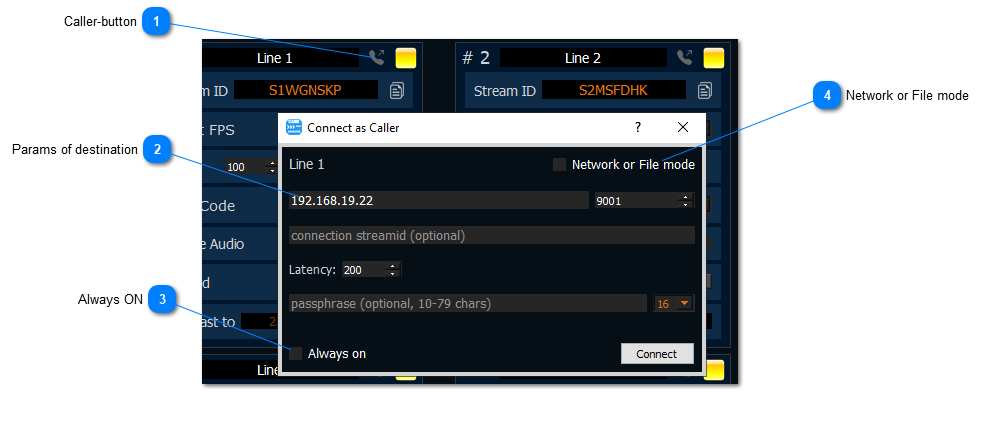
Caller-button
press it for activate “Connect as Caller” dialog
Params of destination
enter IP, PORT and other params for SRT connection
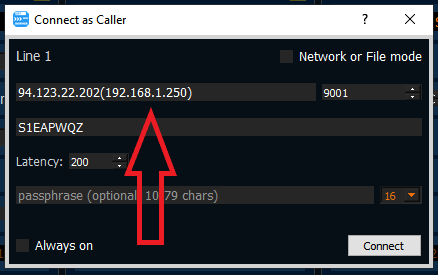
Also you can specify NIC for use.
Suppose your NIC has IP 192.168.1.250 and you want to make a connection to server 94.123.22.202 through this NIC.
Then you need to specify the host as 94.123.22.202(192.168.1.250)
Always on

turn on it if you need be connected always. The app will try be connected forever.
Network or File mode
turn on it for connect to HLS / RTMP / RTSP link or play a File