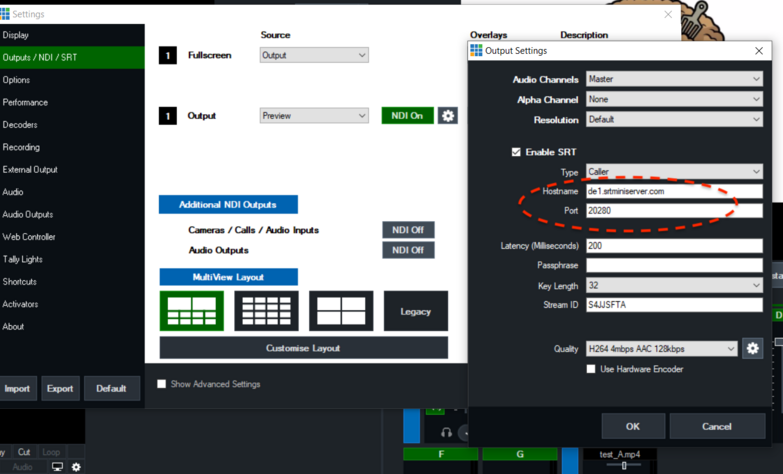
vMix Setup
It’s how to stream SRT from vMix to SRTMiniServer.We used vMix version 24.0.0.63 for this post.
See also: How to play SRT from SRTMiniServer by vMix
At first we will do it in LOCAL network. After we do this for Internet.
Start SRTMiniServer
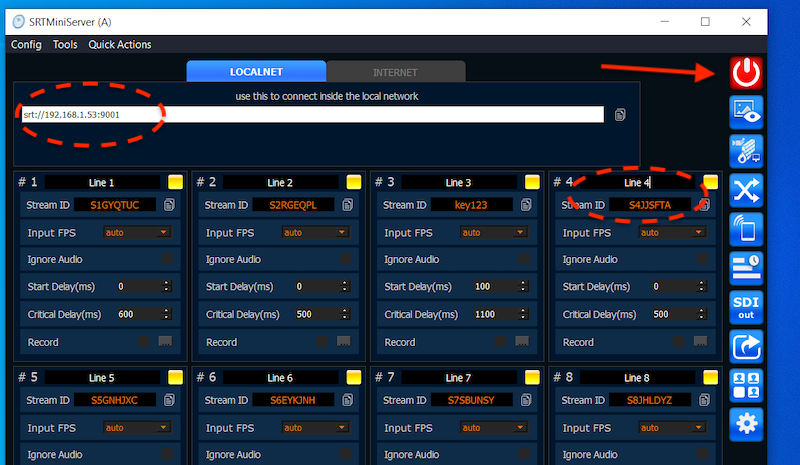
We need known IP, Port and Stream ID (for example I use Line 4).
Setup vMix
We should
check on “Enable SRT”
select “Caller” for Type
enter IP, Port and Stream ID from image above
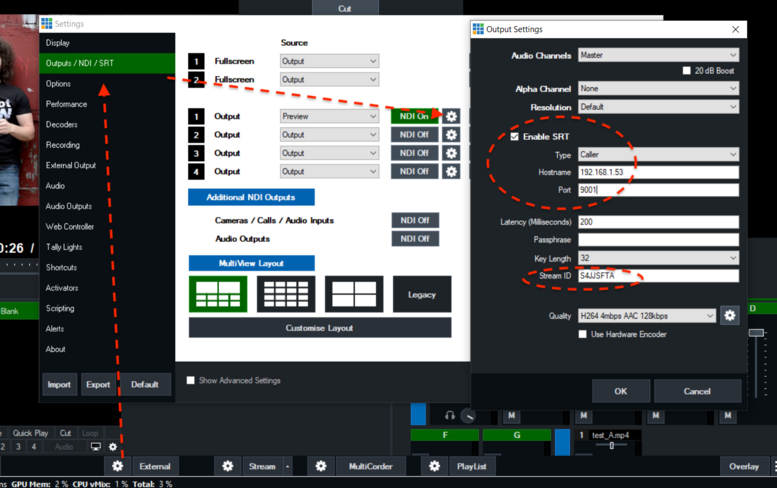
Result:
After this press “External” (it should be red).
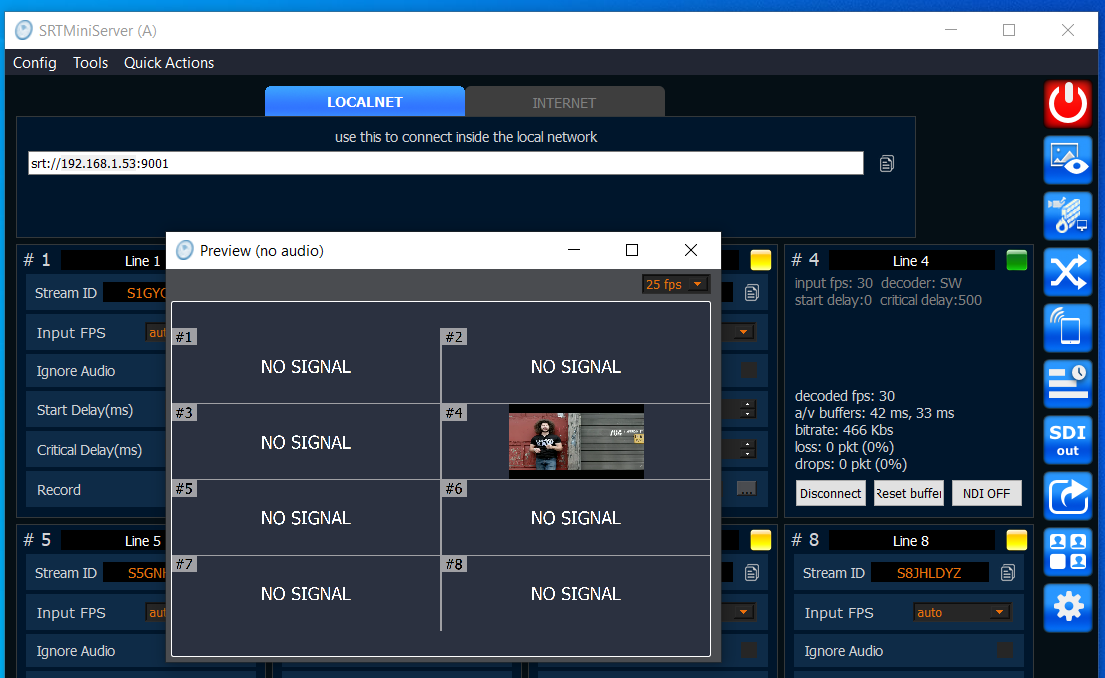
Next level: connection through Internet
Suggest our SRTMiniServer in other location without dedicated IP.So we need use ProxyAddon for this.
See also: about connection through Internet
Let’s go.
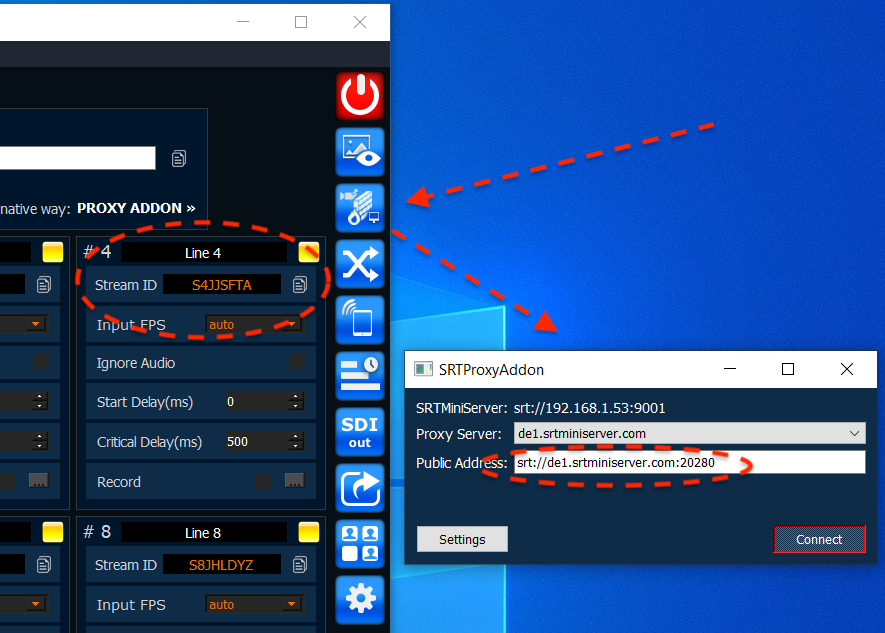
At first we run Proxy Addon and get IP & Port
On vMix side we do same steps:
check on “Enable SRT”
select “Caller” for Type
enter IP, Port and Stream ID from image above