NEW: JVC with return feed configuration
Last version of firmware for JVC cameras allows play SRT return feed from Studio.
It’s very cool but unfortunately this firmware does not allow type “streamid” for setup return feed.
Anyway you can use this simple workaround for use this feature with SRT Mini Server 2.4.5
Step 1: turn on multi-ports
run SRT Mini Server –> Settings and turn on “use as start of range”. Press OK and re-start SRT MiniServer

After this SRT MiniServer will userange of ports for listen incoming connections. If you use 4 lines and Listen Port is 9001 then range is [9001-9004].
NOTES: don’t forget open this range in your Firewall or Router.
Step 2: setup special stream ids
goto top menu –>Quick Actions–> Reset Stream IDs (for JVC)
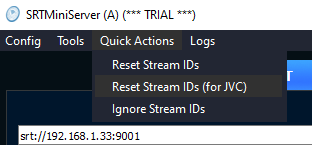
select Reset Stream IDs (for JVC)
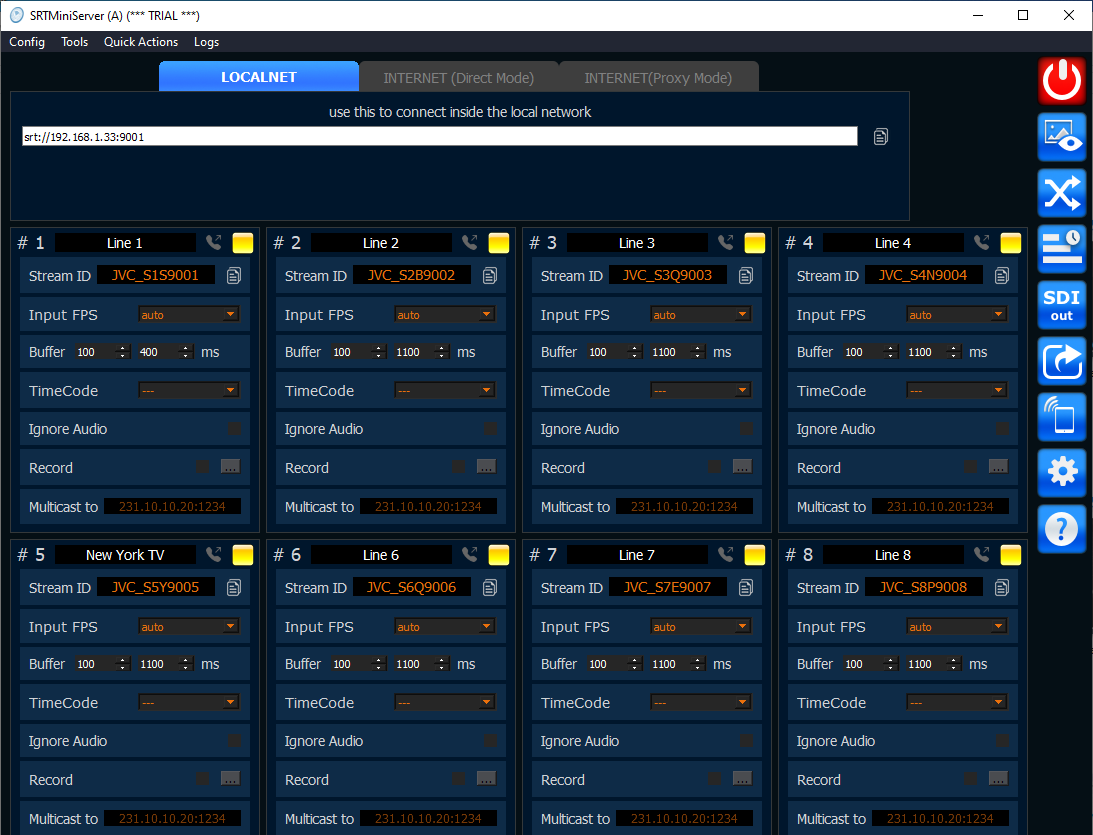
result
This action will setup special random stream ids like JVC_9007.
“JVC_” prefix should be present. Also stream ids includes port for easy orientation.
Step 3: JVC setup direct stream
On JVC cam please select SRT –> Caller and type IP, Port, Stream ID from SRTMiniServer.
For example for connect cam to Line 3:
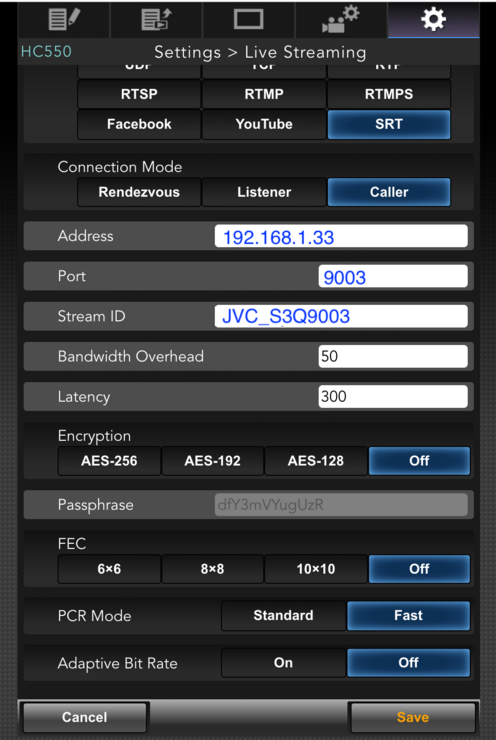
example for Line 3
Step 4: JVC setup return feed
No special setup for return feed because JVC cam will uses same params as direct stream but without stream id.
Step 5: generate return feed from Studio
When JVC cam will connected then SRTMiniServer will accepts direct stream and send to cam return stream.
So how to generate return feed ?
SRT MiniServer provide 3 ways for it:
TalkBack Manager addon for audio only return feed (BEST WAY)
Conference Addon for video/audio return feed
CrossLine : for generate return feed from other encoders (for example from vMix or SRTStreamer or HW encoder)