Add/Edit Stream
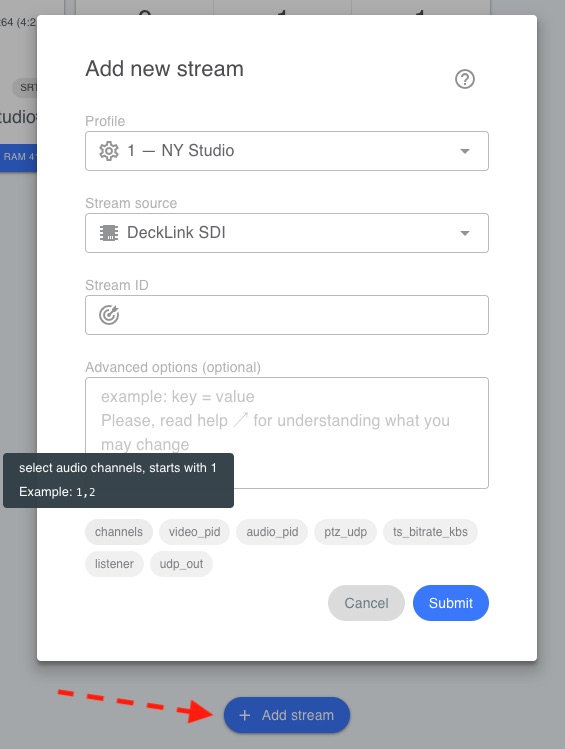
When you create a stream, you choose:
Profile — the profile that defines how the feed is encoded and sent to the Studio (codec, fps, resolution, bitrate, destination server, SRT parameters, etc.). See Streaming Setup for profile configuration.
Source — the input device or capture source for this stream (SDI, NDI, etc.).
Stream ID - you can also optionally set a Stream ID (or RTMP Key )
TIPS: You can use the same source for few streams. For example, capture the same SDI input several times and send it with different encoding parameters to different destinations — each stream can use its own Profile.
Advanced options
You can specify additional parameters that significantly expand functionality. For convenience, these parameters are shown as a tag cloud below the field.
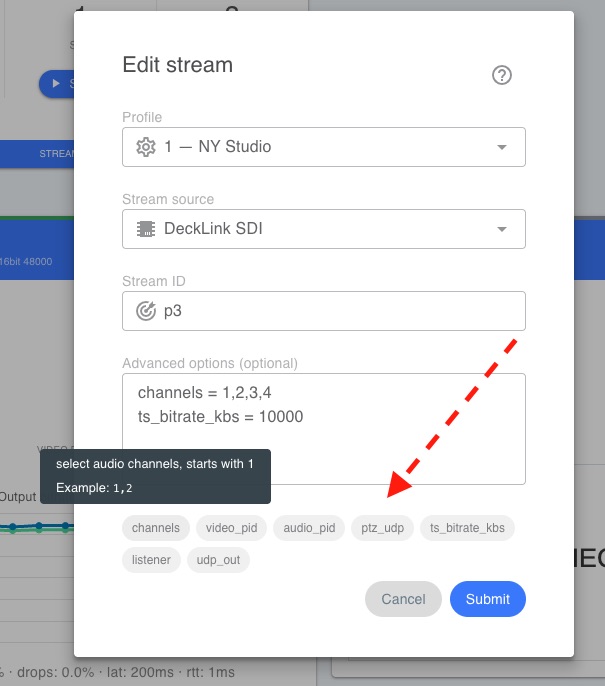
Below is a description of these parameters.
channels
Select audio channels (counting starts at 1).
channels = 8,9,10,11
video_pid
Change the video PID. Default: 256.
video_pid = 222
audio_pid
Change the audio PID for the first stereo track. Default: 257. Each additional stereo track uses previous PID+1.
audio_pid = 223
external_audio
Use audio from an external source instead of the capture device.
external_audio = "PC Sounds (Loopback)"
NOTE: Audio device names are listed in the top menu under SysInfo (see here ).
ptz_udp
PTZ camera address for REMI control.
ptz_udp = 192.168.1.33:5678
NOTE: Turn on REMI Control in Streaming Setup for the selected profile.
ts_bitrate_kbs
Set a flat constant outgoing bitrate in Kbps. The stream will include TS-null packets to maintain the specified rate.
ts_bitrate_kbs = 10000
Example for a target bitrate of 10 Mbps.