REMI: PTZ
(BETA FEATURE)
SRT Streamer PRO can accept PTZ command from Studio (with SRT Mini Server) and transfer to PTZ cams.
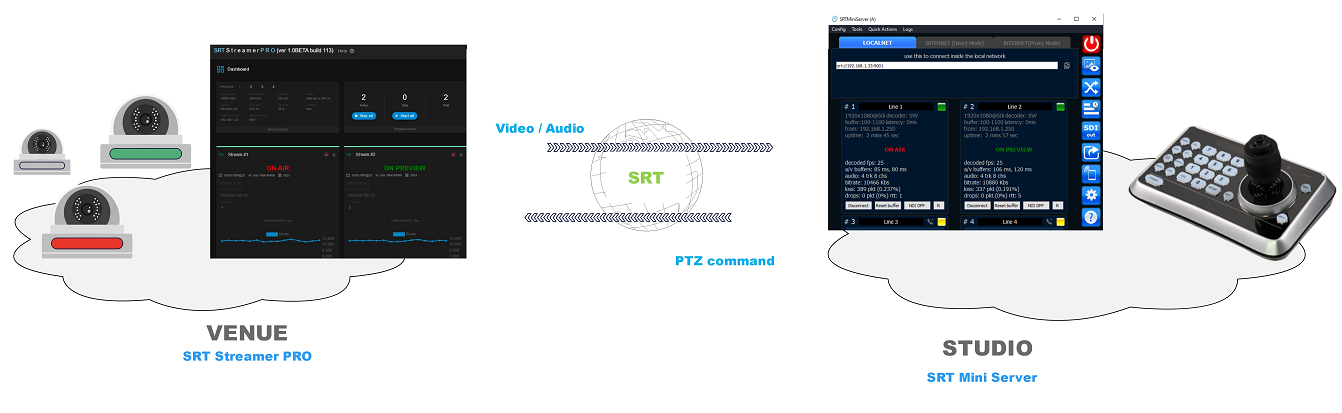

Studio Side
On Studio Side you need:
SRT Mini Server (ver 2.4.5+)
PTZ-controller. It could be a joystick-device or a program for example vMix or PanTiltZoom (iOS/Android). Main requirement: it should support “VISCA over IP” (TCP or UDP).
Please do special setup for SRT Mini Server: go to Settings –> Advanced Settings and type
ptz_tcp = 0.0.0.0:5678 (you can change port)
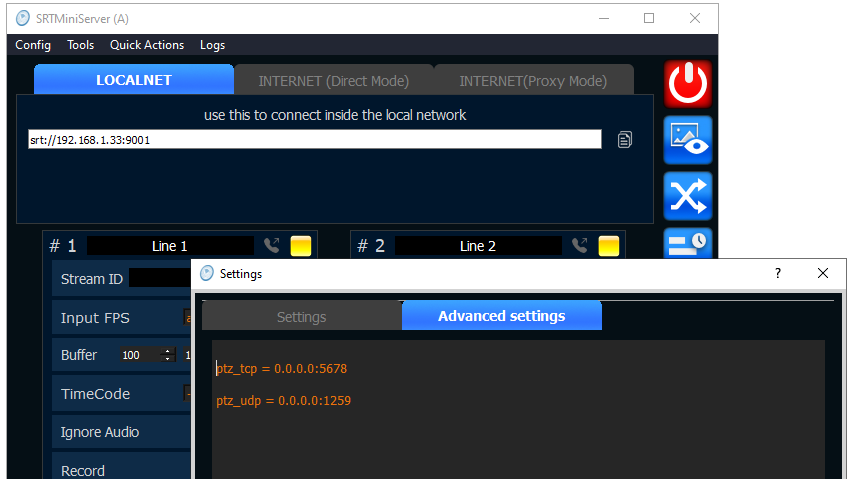
What does this mean?
This means that SRT MiniServer will pretend to be a PTZ camera.
And not just one camera but in our case four (according to the number of lines).
These fake-cameras (in reality these are Lines) will be available at the server address on ports 5678, 5679, 5680, 5681 (+1 for next).
This way we can indicate in our PTZ-controler all fake cameras by TCP-addresses:
192.168.1.33:5678
192.168.1.33:5679
192.168.1.33:5680
192.168.1.33:5681
After this the SRT MiniServer will begin to receive PTZ-commands from the PTZ-contoller and send them to the SRT Streamer PRO.
If your PTZ-controller only supports UDP (like vMix) then specify the same.
ptz_udp = 0.0.0.0:1259 (you can change port)
Then everything is the same.
Fake-camera addresses will look like:
192.168.1.33:1259
192.168.1.33:1260
192.168.1.33:1261
192.168.1.33:1262
IMPORTANT NOTE: fake-camera turn on only when a connection to the corresponding Line appears. This allows you to see on the PTZ-controller whether the camera is active or not.
Venue Side
You need
SRT Streamer PRO
PTZ-cam (one or more)
Go to Streaming setup and turn on “REMI Control” option
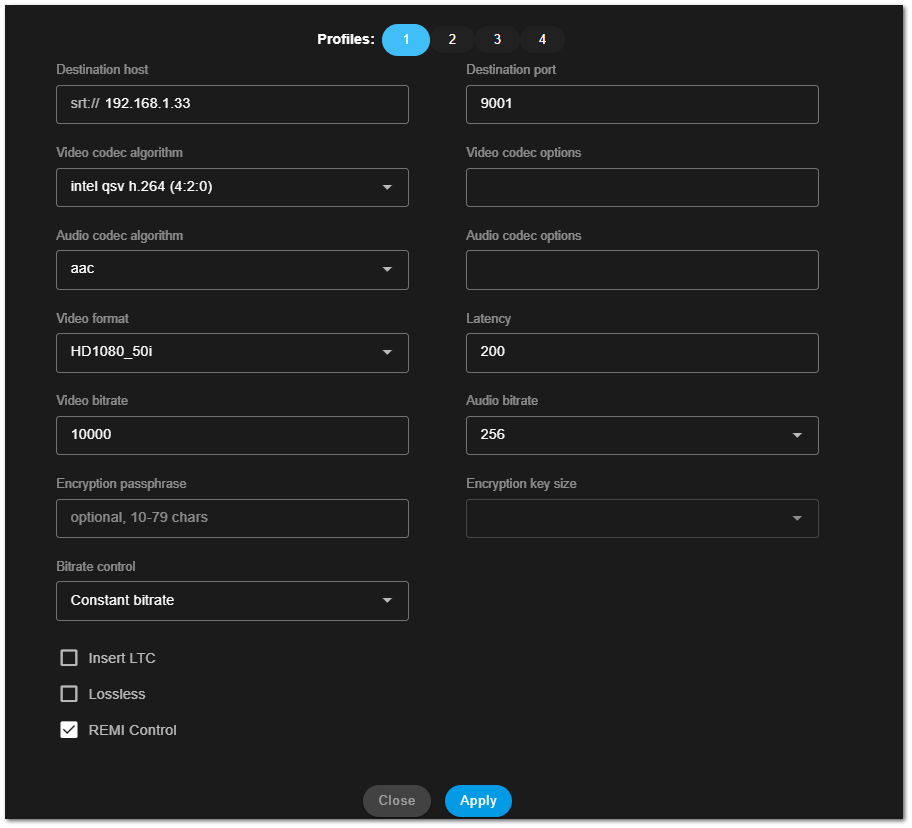
After connection SRT Streamer PRO will be receive PTZ-command and re-send to PTZ-cam.
So the question arises - how to link the Stream and the PTZ-cam?
It’s easy.
Just type
ptz_udp = IP_ADDRES_CAM:PORT
in Advanced options for Stream.
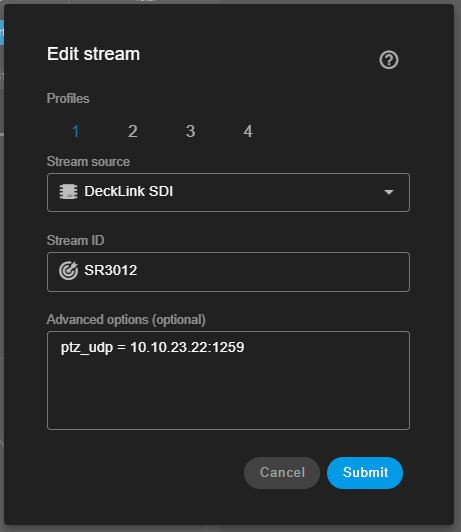
Thus when the streamer starts streaming this stream to the studio it will receive PTZ-commands (from SRTMiniServer) and send them to the specified camera.
Explanation
We have implemented a scheme for pass-through transmission of PTZ-commands and PTZ-responses.
Thus the PTZ-controller and PTZ-camera believe that they are working directly with each other. Accordingly all PTZ-functions that your camera supports should work without restrictions.

PTZ-devices point of view

how does it really work