Listener mode
By default, SRTStreamerPRO operates as a Caller for SRT streaming. Starting from version 1.2.3, it can also function in Listener mode.
Step 1: Profile Configuration
Profile configuration is the same as for Caller mode.
However, please note that some profile fields are ignored in Listener mode and can be filled with any value:
Destination host
Destination port
REMI Control
Lossless
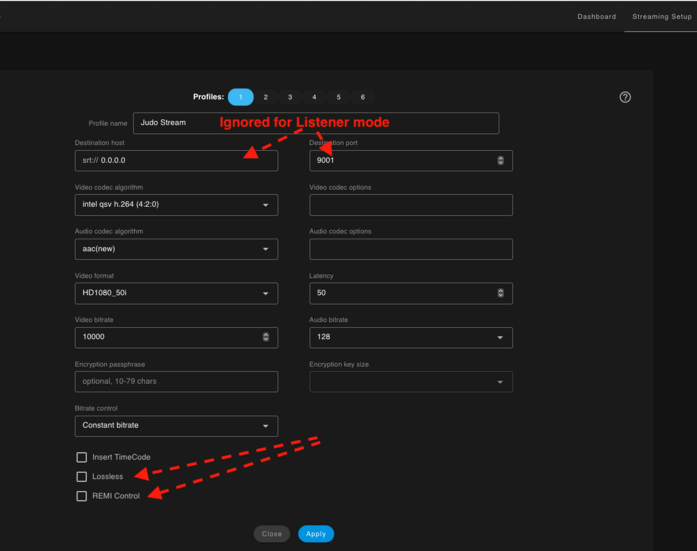
These fields will be ignored in Listener mode
Step 2: Stream Configuration
To set the stream to Listener mode, in the “Advanced Options” section, specify the parameter
listener = IP:PORT
listener = PORT
Possible value examples:
listener = 9010 — The application will listen on all network interfaces on port 9010 (UDP).
listener = 192.168.1.33:9010 — The application will listen 9010(UDP) only on the specified IP address (for a specific Network Interface Card - NIC).
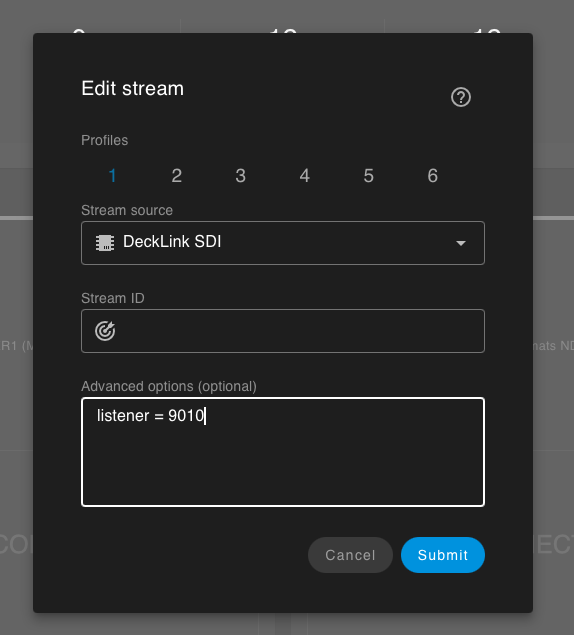
activate lister mode
Stream ID Field
The Stream ID field can be left empty.
But If you specify a Stream ID, all connecting clients will be required to provide the same ID.
A client that does not provide the correct Stream ID will be denied connection.
Step 3: Start streaming
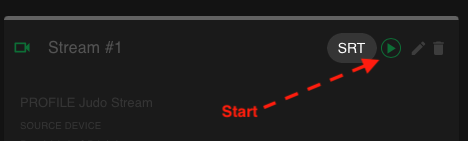
press for start
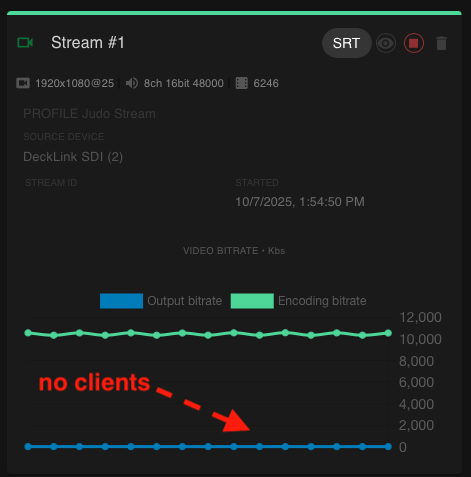
no clients
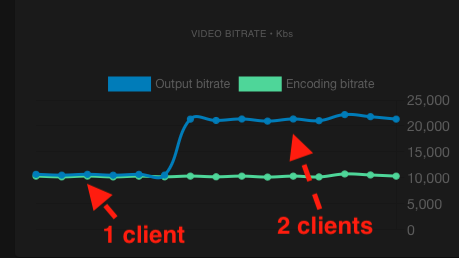
1 client and 2 clients
How to conect clients(decoders)
For connect use standart SRT scheme:
srt://IP:PORT
optional you can add latency, passphrase,pbkeylen, streamid etc.
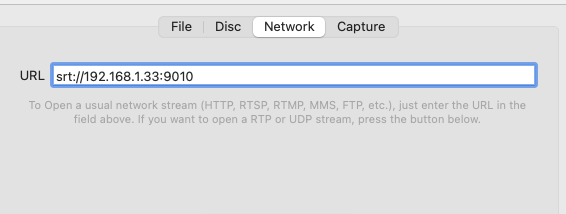
connection by VLC
FAQ
Q: How many clients can connect to a single Listener stream?
A: The current maximum is set to 5 simultaneous clients.
Q: Can I use a single physical input (e.g., SDI) for multiple streams, both as a Caller and a Listener?
A: Yes. Simply create two or more separate streams in the application. You can configure one stream to use the SDI input in Caller mode and another to use the same SDI input in Listener mode.
Q: I have configured everything, but my decoder/player cannot connect. What should I do?
A: First, make sure you can connect using VLC Player on the same PC where SRTStreamerPRO is running. Once that works, check your Firewall settings or try temporarily disabling it to see if it is blocking the connection.