Remote Expert
Free SRT encoder for remote expert connection.
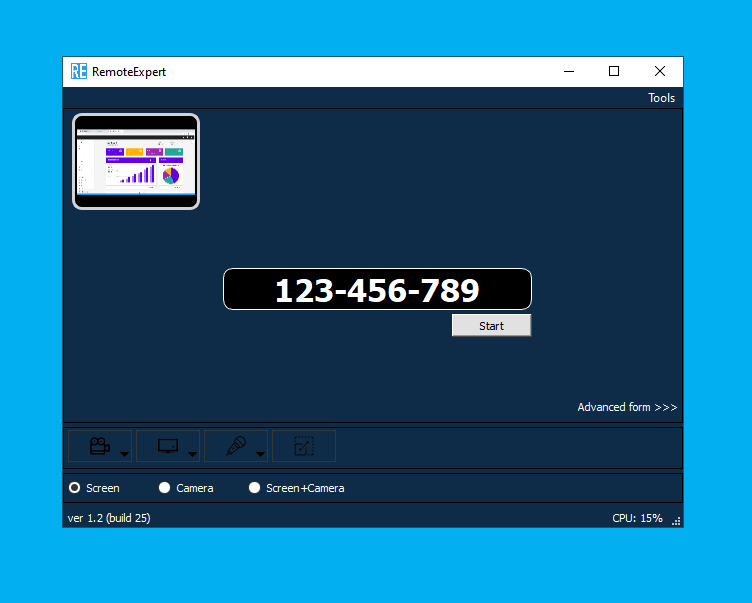
Free SRT encoder for remote expert connection.
Basic features
Easy to use
When designing the UI, we focused on a user with minimal computer skills. And we wanted to make the program easier than Zoom or Skype. To connect, the expert only needs to enter a number, and switching between camera and desktop is done with a single click.
Easy camera and microphone selection
Capture the desktop or a specific window
Easy switching
The user can easily switch modes:
- stream only the camera
- stream only the desktop
- stream both as a Picture-in-Picture mix
Two-way communication: Expert sees the video signal from the Studio
It allows for a full dialog between the Expert and the Studio.
Connection by number or link
You can tell the expert the number or just send a link. When clicked, it will launch the program and start the stream.
Advanced features for Studio
Our tools make connecting a remote expert easier.
Number and link generator
SRT Mini Server has LinkGenerator for creating a number and a link for connecting a remote expert. In them you can set what frame size, fps and bitrate you need from the expert.
Two-frame modes
You can enable two-frame mode. In this mode a double frame will come from expert: one half will be the camera and the other half will be the desktop. This can be used in advanced further mixing scenarios.
Possibility to prepare your own package with preset parameters
You can place RemoteExpert with preset parameters on a USB flash drive, for example. The Expert simply runs
RemoteExpert.exefrom the folder without the need for installation. This is applicable, for example, if the expert cannot install the software on his PC.Simple feedback organization
You can use TalkBackManager, built in SRT Mini Server, as a return signal to be sent to the expert to communicate with him. For example, you can send a signal from SDI input.
FREE
Any feedback is welcome: Support@GaraninApps.com
Platform: Windows 10 / 11, 64-bit