Quadler: Synchronous transmission of multiple cameras to a studio
Quadler helps combine up to four Full HD cameras into a single 4K stream for synchronous remote production.
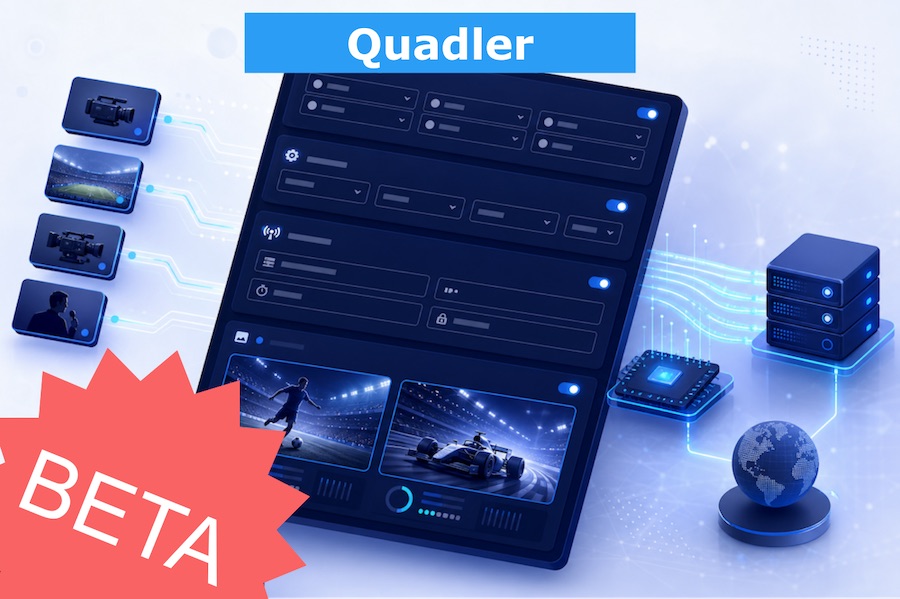
In remote production, a common challenge is the need to synchronously transmit several cameras to a studio. For example, two, three, or four Full HD cameras from a venue, so that the director in the studio can choose the desired angles, switch between them, record, or perform further processing.
This setup is necessary for sports broadcasts, concerts, interviews, corporate events, and other projects where filming happens on location, but the main direction is done remotely.
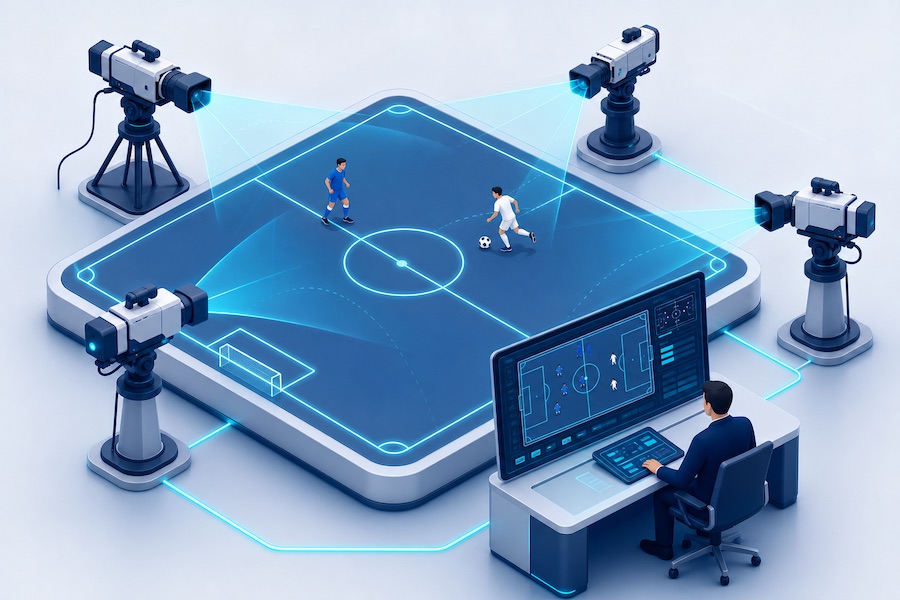
First approach: Synchronizing individual streams using Timecode (SEI,LTC)
One professional solution to this problem is to transmit each camera as a separate stream and add a special timecode to each encoded stream. On the receiving side, a server or decoder analyzes this timecode and attempts to align the multiple video streams.
This approach allows for camera synchronization but requires compatible equipment. Support for this scheme exists in SRTMiniServer, as well as in expensive Haivision decoders.
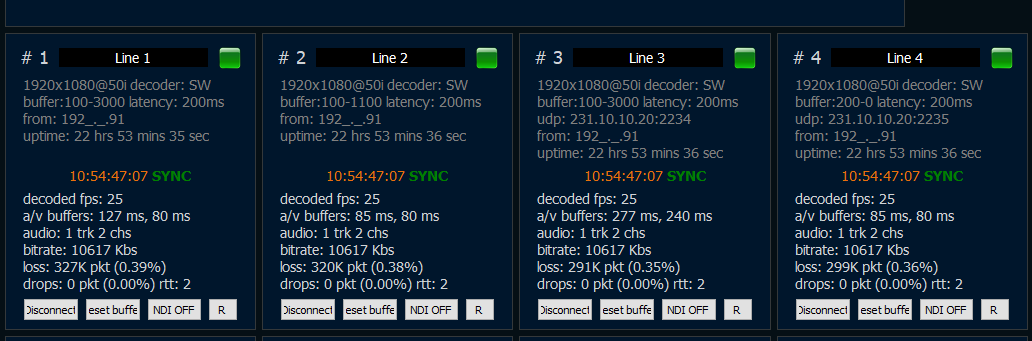
Example of SRTMiniServer: read Timecode and Sync
It’s important to understand the limitation: the streams are initially SEPARATE.
They are:
- encoded separately
- transmitted separately over the network
- and can arrive at the receiving end with different delays.
Therefore, achieving perfect alignment without additional buffering is not always possible.
Typically, this scheme introduces additional latency. This latency is needed so the receiving side can buffer the streams, compare them using timecode, align them, and only then deliver them for production. This is acceptable for some tasks, but if minimal latency is critical, this option is not always suitable.
Second approach: Four cameras in a single 4K stream
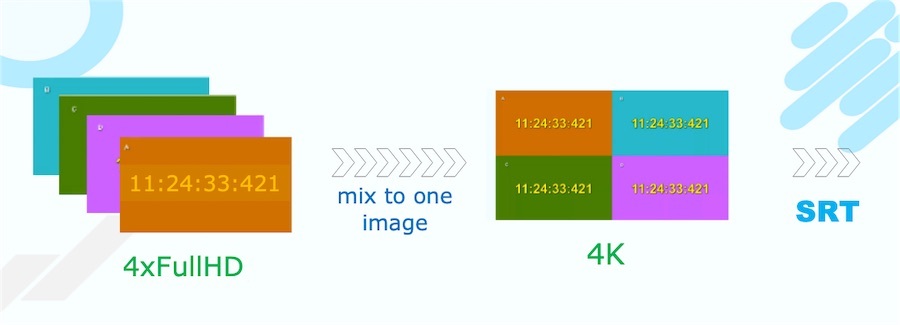
Another path, often used by our clients, is simpler. On the transmitting side, a single 4K frame is created, inside which four Full HD cameras are placed. This results in a 2x2 grid: each camera occupies its own area within the overall frame.
The main advantage of this approach is that all video sources immediately become part of a single picture. They don’t need to be assembled later from separate streams; they are, one might say, synchronized from the moment of creation.
Why we created Quadler
To simplify this second approach, we created a new product - Quadler.
Quadler helps quickly combine up to four Full HD cameras into a single 4K stream and transmit it to the studio as a unified signal. This is convenient for remote broadcasts, remote production, sports events, interviews, concerts, and other tasks where multiple cameras must arrive at the studio synchronously and predictably.
Just:
- select up to 4 sources (Quadrants)
- select encoding options
- setup SRT destination
- press Start
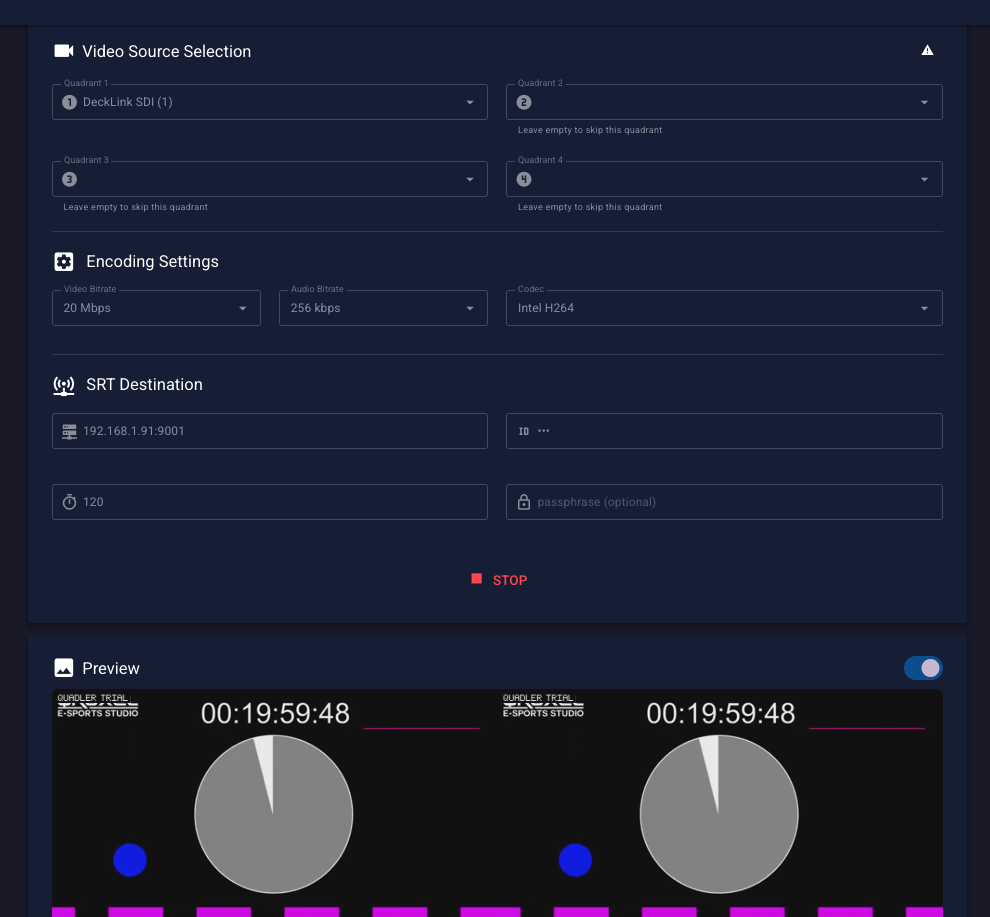
Advantages of Quadler
The main advantage of Quadler is its simple setup and operation. The solution requires no special engineering skills and is designed for quick deployment on site.
Management is done via a web interface. If necessary, it can even be used from a smartphone, which is especially convenient in remote or mobile conditions.
Quadler can generate a 4K stream in interlace format using Intel Quick Sync. It also supports encoding using NVIDIA GPU. In the future, we plan to add support for encoding on AMD.
Another important advantage is the flexibility on the receiving side. The stream can be received not only in SRTMiniServer, but also in vMix or OBS. This allows Quadler to be used in different production workflows.
If the studio needs four separate SDI signals, we recommend looking at the functionality of SRTMiniServer for splitting a single 4K stream into four SDI outputs.
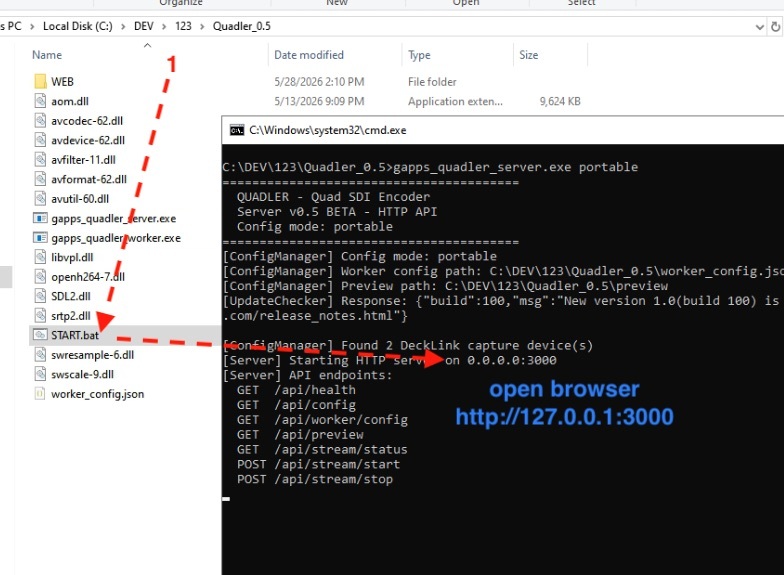
Current status
Quadler is now available for those who want to try this solution in real-world tasks. We offer it to all interested users and would appreciate feedback.
At this stage, Quadler is primarily optimized for Blackmagic DeckLink cards and leverages their strengths. This allows it to efficiently work with multiple incoming video signals and form them into a single 4K stream for further transmission to the studio.
Quadler is our way of making multi-camera transmission simpler, more accessible, and more convenient. If you need to synchronously transmit up to four cameras to a studio without complex infrastructure, this approach might be the most practical solution.
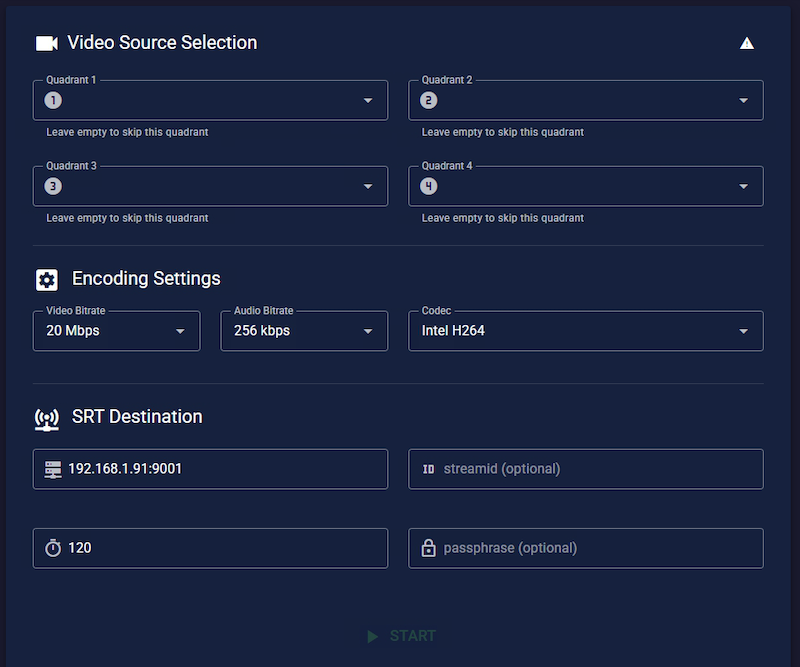
How to use it
Just download and unpack ZIP:
- double click START.bat
- open browser http://127.0.0.1:3000
In browser:
- select up to 4 sources (Quadrants)
- select encoding options
- setup SRT destination
- press Start
We would appreciate your feedback at Support@GaraninApps.com
GaraninApps Team - srtminiserver.com
2026-05-27 18:22